End-of-Life Planning in the Digital Age
Learn how digital legacy tools, estate documents, and simple account planning can protect your photos, passwords, crypto, and family from chaos later.

Genzio
End-of-Life Planning in the Digital Age: How to Protect Your Digital Legacy
Most people think of end-of-life planning as wills, funeral preferences, and beneficiaries. But in a world where our lives are stored on phones, cloud accounts, and crypto wallets, planning for death also means planning for your digital legacy. If you don’t, your loved ones may face locked accounts, missing files, and unnecessary stress during an already painful time.
That’s why death tech and digital estate planning are gaining attention. Tools like financial planning resources and modern culture coverage increasingly reflect how everyday life has become deeply digital. The good news: a few simple steps can make a huge difference.
What digital legacy planning actually means
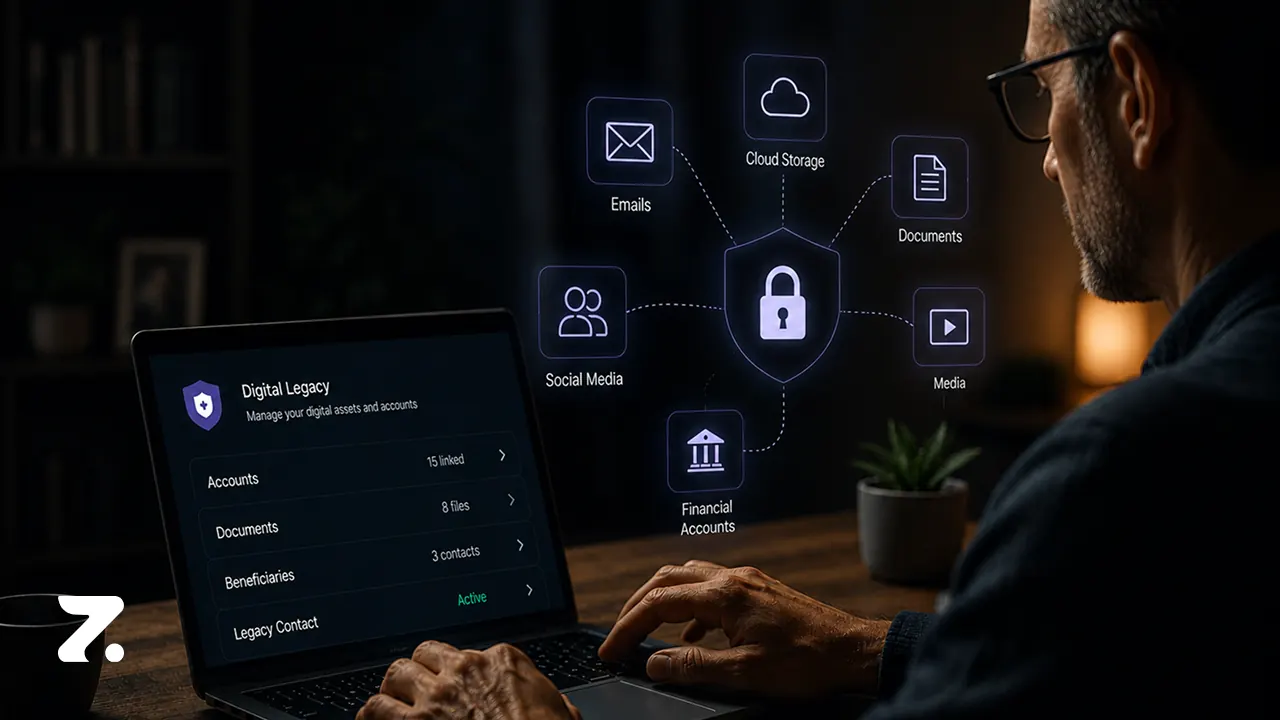
Your digital legacy includes anything stored online or tied to an account after you’re gone. That can include photos, notes, email, documents, subscriptions, bank logins, social profiles, and cryptocurrency. Without a plan, family members may not be able to access, close, or transfer those assets.
Platforms have rules, privacy protections, and recovery barriers that can block access. In some cases, your loved ones may need legal authorization just to recover memories or settle your affairs. A clear plan reduces confusion and prevents extra paperwork later.
Start with the simplest tools first
If you use Apple, the Apple Support guide for Legacy Contact setup explains how to designate someone who can request access to certain account data after your death. It’s one of the easiest first steps in digital legacy planning.
For Google users, the Google account help page for Inactive Account Manager shows how to decide what happens to Gmail, Drive, Photos, and other data after a period of inactivity.
These tools won’t solve everything, but they create a starting point. Even better, they prompt you to think about who should handle the rest of your digital life.
Don’t forget passwords, subscriptions, and MFA
One of the biggest problems families face is simple access. If your phone holds your authentication codes, your loved ones may be locked out of everything from email to bank accounts. Add recurring subscriptions, forgotten cloud services, and scattered passwords, and the situation gets messy fast.
List your key accounts in one secure place
Document where recovery codes are stored
Note which subscriptions should be canceled
Keep beneficiary details up to date
A password manager with emergency access can help, but the main goal is clarity. Your family should know where to look and what to do.
Estate planning still matters for digital assets
Digital tools help, but they do not replace legal planning. Wills, trusts, powers of attorney, and beneficiary designations still matter because they help establish authority and reduce disputes. For a deeper look at how planning intersects with modern finance, see Genzio Media’s AI news and technology coverage and related digital trends.
The Uniform Law Commission’s guidance on digital asset access is also important. The Revised Uniform Fiduciary Access to Digital Assets framework explains the legal structure many states use for fiduciary access to online accounts.
Remember: probate does not automatically unlock everything. Without proper documentation, your loved ones may still hit a wall.
Crypto and Web3 need extra care
Self-custodied crypto is a different kind of estate challenge. There is no customer support line for a lost seed phrase. If you manage digital assets in Web3, your backup plan should include wallet instructions, cold storage details, and a trusted person who knows how to find them.
That’s why digital legacy planning is especially important for investors, founders, and anyone building wealth online. A clear record can protect both access and value.
Why physical backups still matter
It’s smart to keep both digital and paper copies of your most important documents. Fires, floods, device failures, and account lockouts can all create problems. A hybrid system gives your loved ones a second path to the same information.
Keep estate documents in a secure physical binder
Store a digital copy in encrypted form
Separate access instructions from sensitive details
Review and update everything once a year
Planning ahead is not about expecting the worst. It’s about making life easier for the people you care about most.
How workplaces are starting to help
More employers are treating end-of-life planning as part of wellness education. That makes sense: employees already handle caregiving, financial stress, and family logistics. Programs like events-focused workplace education and broader wellness initiatives can make these conversations feel less taboo and more practical.
Some companies now see estate readiness as a real employee benefit, especially when it reduces future administrative burdens during grief.
Final takeaway
End-of-life planning in the digital age is about more than paperwork. It’s about protecting your accounts, your memories, and your family’s peace of mind. Start with one platform, one document, and one trusted contact. Then build from there.
If you want your loved ones to avoid a digital mess later, the best time to plan is now.
FAQ
What is a digital legacy?
A digital legacy is everything you leave behind online, including photos, accounts, files, subscriptions, and digital assets like crypto. It covers both sentimental and financial information.
What is the easiest first step in digital estate planning?
Start by naming a legacy contact or setting up an inactive-account tool on your main platforms. That gives trusted people a path to follow if something happens to you.
Do wills automatically give access to online accounts?
No. A will may help establish intent, but many platforms require specific authorization, recovery tools, or legal documents before granting access.
Should I keep both paper and digital copies of my estate documents?
Yes. A hybrid system is safer because it protects against device loss, cyber issues, disasters, and account lockouts.
About

Featured Posts

Explore Topics